


The Commodore 64 is a computer with a great deal of meaning to me. It was the first one I called my own, bought for me and my brother in 1991 after a few years of sneaking the odd go here and there on my parents’ C64. An emulator, the venerable CCS64, was one of the first things I ever downloaded from the internet. And just this past summer (2024), my partner picked up a lovely C64C bundle from a fellow enthusiast that has further rekindled my love for it. So, in one way or another, it has been a significant part of my life.
Last month, I finally gave something I’ve only heard about in recent years a go and now wish I’d tried it much sooner: C64 Dreams.

C64 Dreams is a ready-to-go portable implementation of Launchbox with a curated library of games, diskmags, demoscene productions, and magazines. But, little did I previously realise that this isn’t all that C64 Dreams comprises. It’s so much more.
Misunderstanding a Dream
Because I’ve had an install of Launchbox all nicely setup with a selection of games from the Oneload C64 Collection for several years now, I always figured that C64 Dreams wouldn’t be all that useful to me. Especially as I’d read it was difficult to import into existing Launchbox installs. After all, it’s just a bunch of games and I can grab them myself, right?
Wrong.
C64 Dreams is, if nothing else, a labour of love. And I do mean labour; Zombeaver, the heart and soul behind this project, has been working on it since 2018 and put what must be thousands of hours into it. For not only has Zomb chosen each and every game personally, the number of which has risen from 128 to 4000, but they also created or cleaned up media for each and every one of them, from covers to instruction manuals/inlays, and modded in ways to bring up a controls overlay for each game and view the instruction manuals in-game. All within the combination of Launchbox and RetroArch. Batch files have been created for multi-disk games that will auto-load the mount playlist for them. Each and every game has had border zoom tweaks calculated precisely for each one with pre-set CRT filters and themed overlays. Oh, and they’ve also linked each game entry to one-click reviews in Zzap64 or other magazines, and found a way to play SID music in the background of otherwise silent text adventures.
An astonishing amount of work and true dedication to the Commodore 64 and its library.
Welcome to Woodgrain Alley
After you download the C64 Dreams zipfile, unzip it, and fire up the standalone Launchbox inside, you’ll be presented with a woodgrain-themed window.
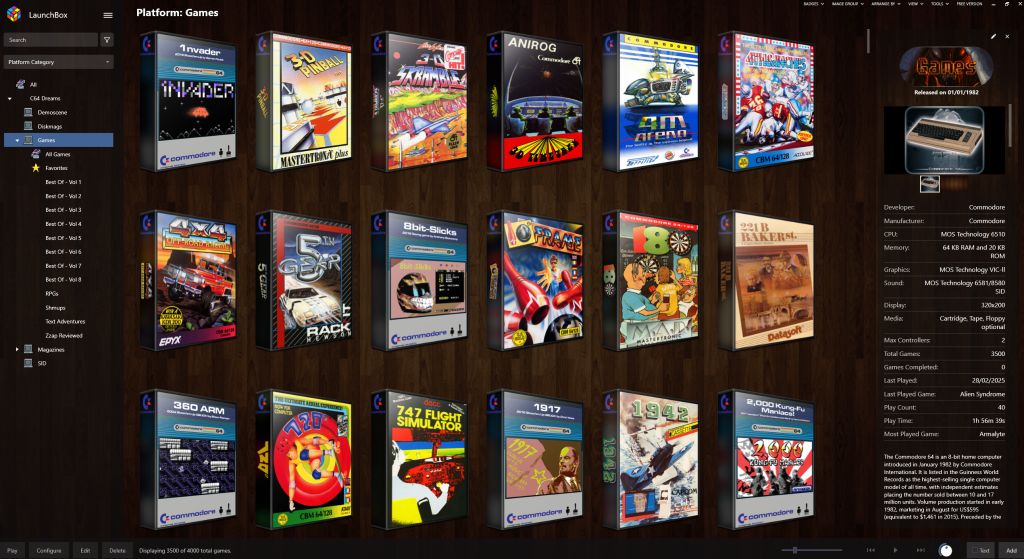
Many of the 3D boxes representing each game file in the library were created by Zomb personally. While you can view them all and scroll endlessly down, you’re also able to browse them in ‘Best Of’ playlists. This organises them into the 128-game packs that Zomb originally released one at a time with each new version of C64 Dreams.
Zomb’s overall goal with C64 Dreams was to help ease someone into the computer’s monstrously huge library. The visual nature of Launchbox helps with this, akin to browsing games on a computer game store’s shelf. Rather than just the names to go by as you would with a rom list, you’ve got game covers to catch your eye and interest.
Zomb has curated a fine list of both European games and North American titles from the entire commercial lifespan of the C64, plus some recent homebrew and newer commercial titles. You’ll not only find eurozone platformer and shmup classics such as Armalyte and Dizzy, but also the CRPGs and strategy games such as Temple of Apshai Trilogy and Archon that characterised the North American C64 experiences.
With a library as large and confusing as the Commodore 64, tens of thousands of games, if you take in the entirety of one of the ‘TOSEC’ game collections, a smaller curated library to someone unfamiliar with its best titles is critical. 4000 games is still a lot of games, but breaking that amount further still into smaller collections with points of visual interest to guide your eye to is an immense help.
Zzaped Back to the Past
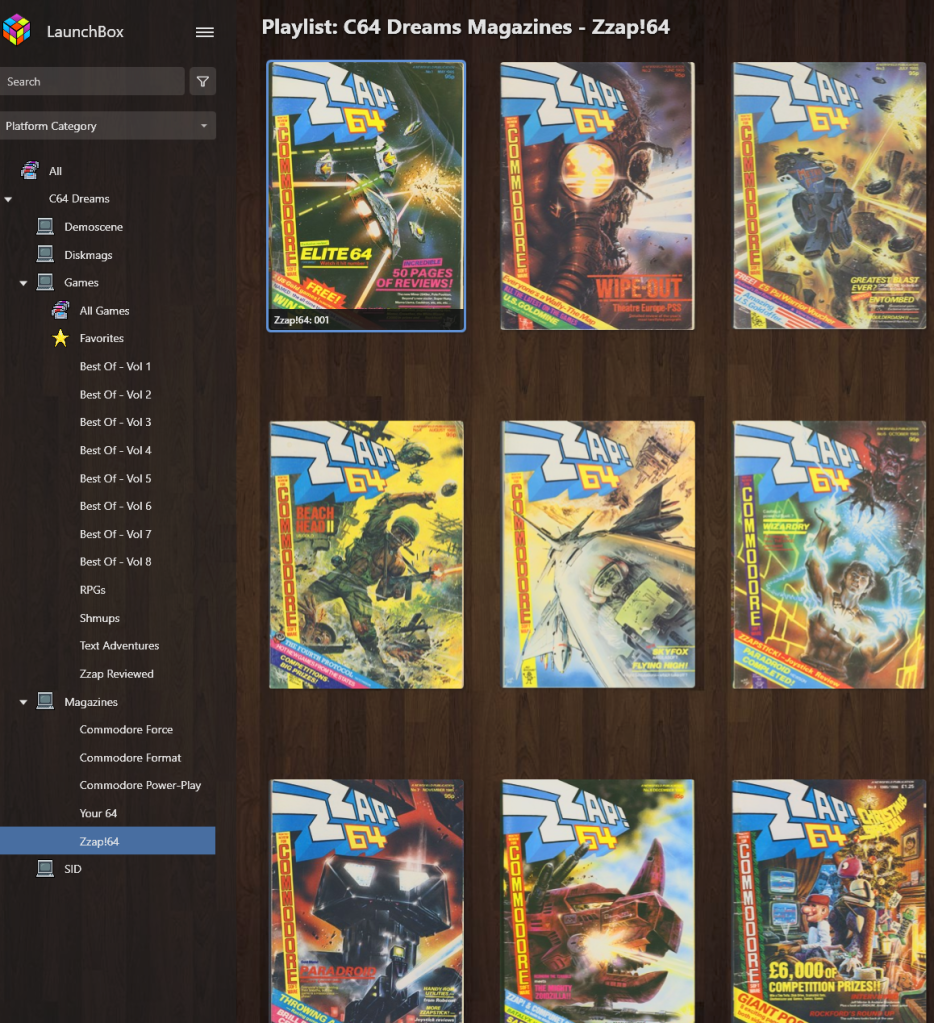
One neat feature is the ‘Zzap Reviewed’ playlist. These are all the games present in the collection that were reviewed by the beloved Newsfield-published C64 magazine, Zzap64. And not only do you get to play that curated list, you can right-click on any of the boxes, and there’s an option to read their review in either a local version or an Internet Archive link.

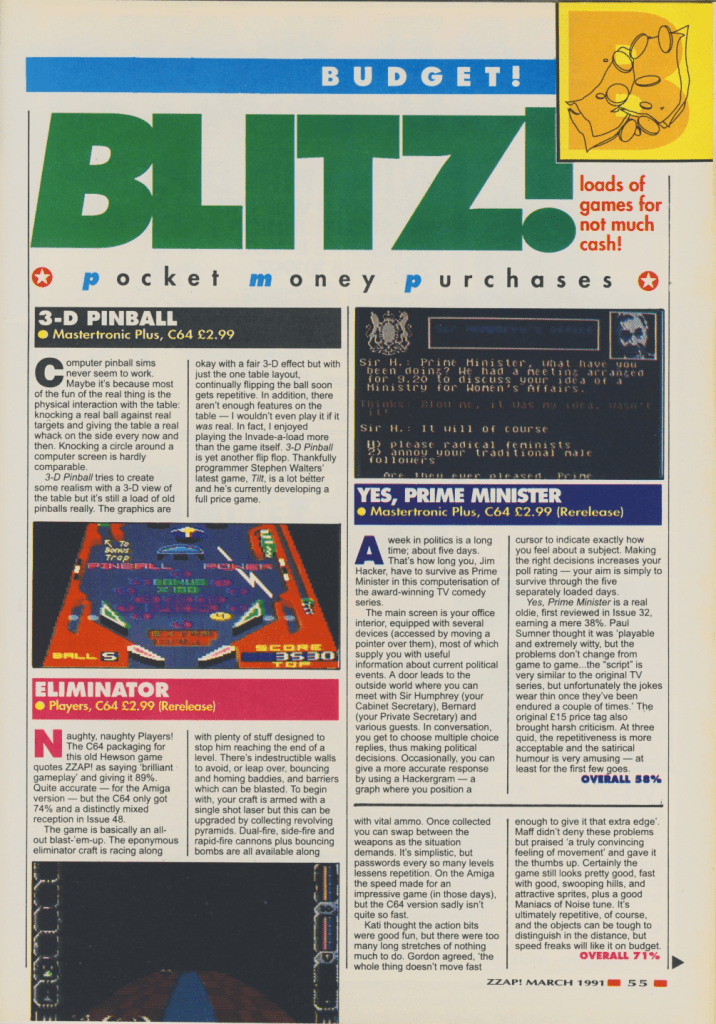
This is a wonderful feature, one made all the more so by the SID music that will kick in as you browse through the local versions. Further down the list, you’ll find entire issues of magazines to flip through, all while jamming to the provided tuneage. It’s such a thoughtful addition that makes flipping through the mags an especially chill experience.
In-Game Options
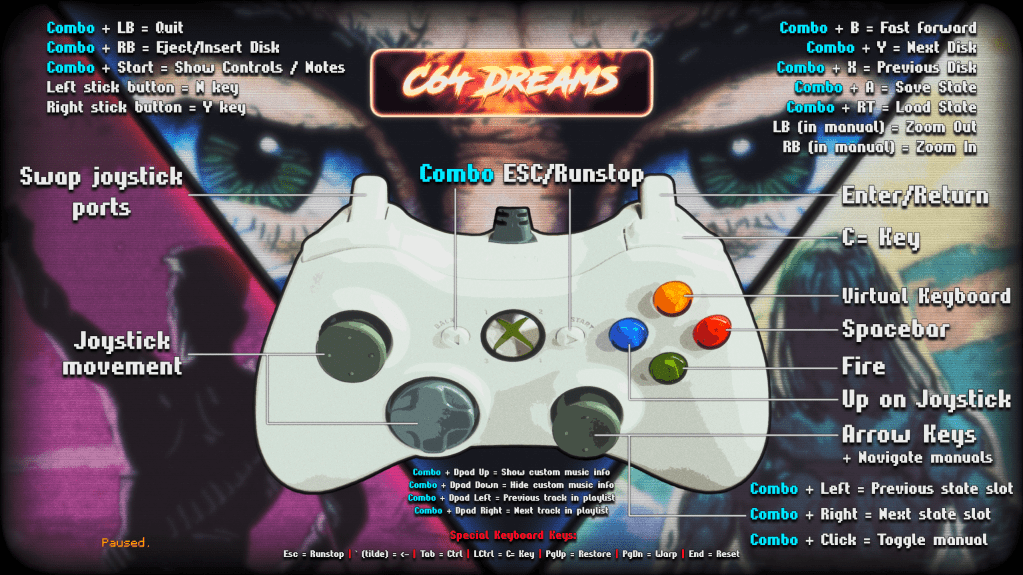
As previously stated, Zomb has gone to meticulous effort to get every game up and running with configuration options on a per-game basis, and the majority of the functionality is controllable with a joypad. This, again, is key to easing someone into the Commodore 64 library, especially when it comes to floppy disk games with frequent disk swaps. It’s a lovely convenience even for me with my own setup.
At the heart of this ease-of-use functionality is the controller binding. While you can manually assign buttons to common-use keys such as return, runstop, space bar, C=, and Y/N in VICE and other C64 emulators, this has all been done for you right out of the box with C64 Dreams.
Another considerate feature that Zomb implemented is the ability to auto-pause a game and view its manual or other relevant documentation in an in-built PDF and CBR viewer.

When you’re ready to continue, you simply hold down the ‘combo’ button and click the right stick, and you’ll close the viewer and resume the action.
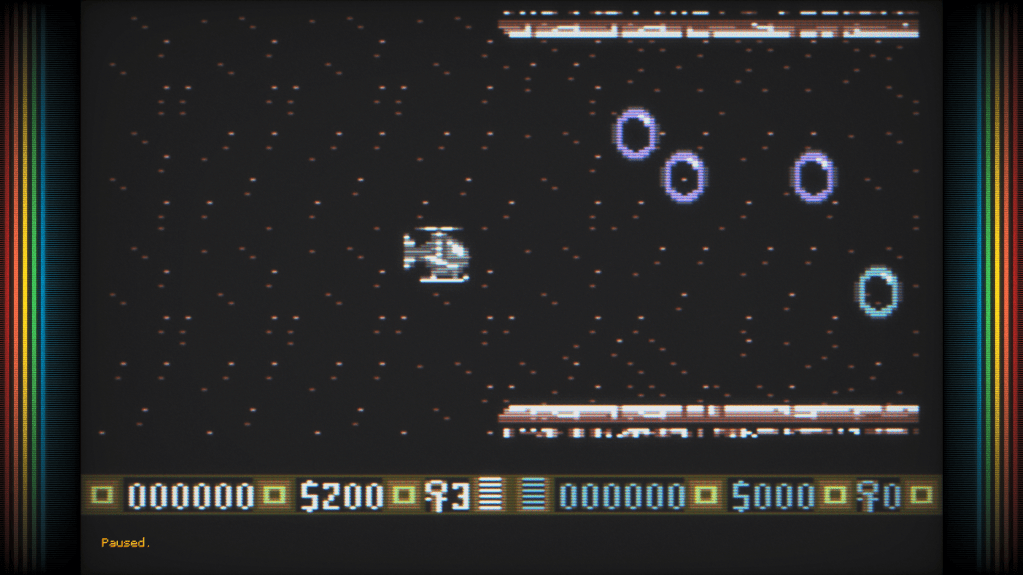
One caveat that mars this implementation is that only Xbox controllers have full functionality. Sony, 8bitdo, or arcade sticks will work on a basic level, but some of the combo functions, such as quitting out of the game by pushing all the triggers and bumpers, and swapping joystick ports, will not work with anything other than an Xbox controller.
In Conclusion
With ‘The C64’ Maxi and Mini becoming increasingly hard to find and expensive to buy due to falling out of production, C64 Dreams offers an alternative ‘Plug and Play’ C64 solution. While it’s not as convenient as plugging in either into an HDMI TV, it’s immeasurably easier than downloading and setting up an emulator and building your own collection of ROM files. And you can still add your own games, should you find old favourites or cool new games missing. The love that Zomb poured into this project shines through in every aspect, not only wanting to provide a curated game list to play but also immerse you in the broader world of Commodore 64 through its music, magazines, disk mags, and demoscene productions.
Even if you already have a C64 emulation setup of your own, I would still recommend downloading it and enjoying all that it has to offer.
You can download C64 Dreams here. A demonstration video can be watched here.
 Scanline Artifacts
One thought on “Commodore 64 Dreams are Made of This”